

The high-assuranceSwedish cloud OS
Run your virtual machines, including Windows Server, alongside containers and Kubernetes, on your own servers or in Velrix Public Cloud.
One licence for the whole installation, priced per core.
- Data on your servers or in Sweden
- Swedish and English
- Built to WCAG 2.2 AA
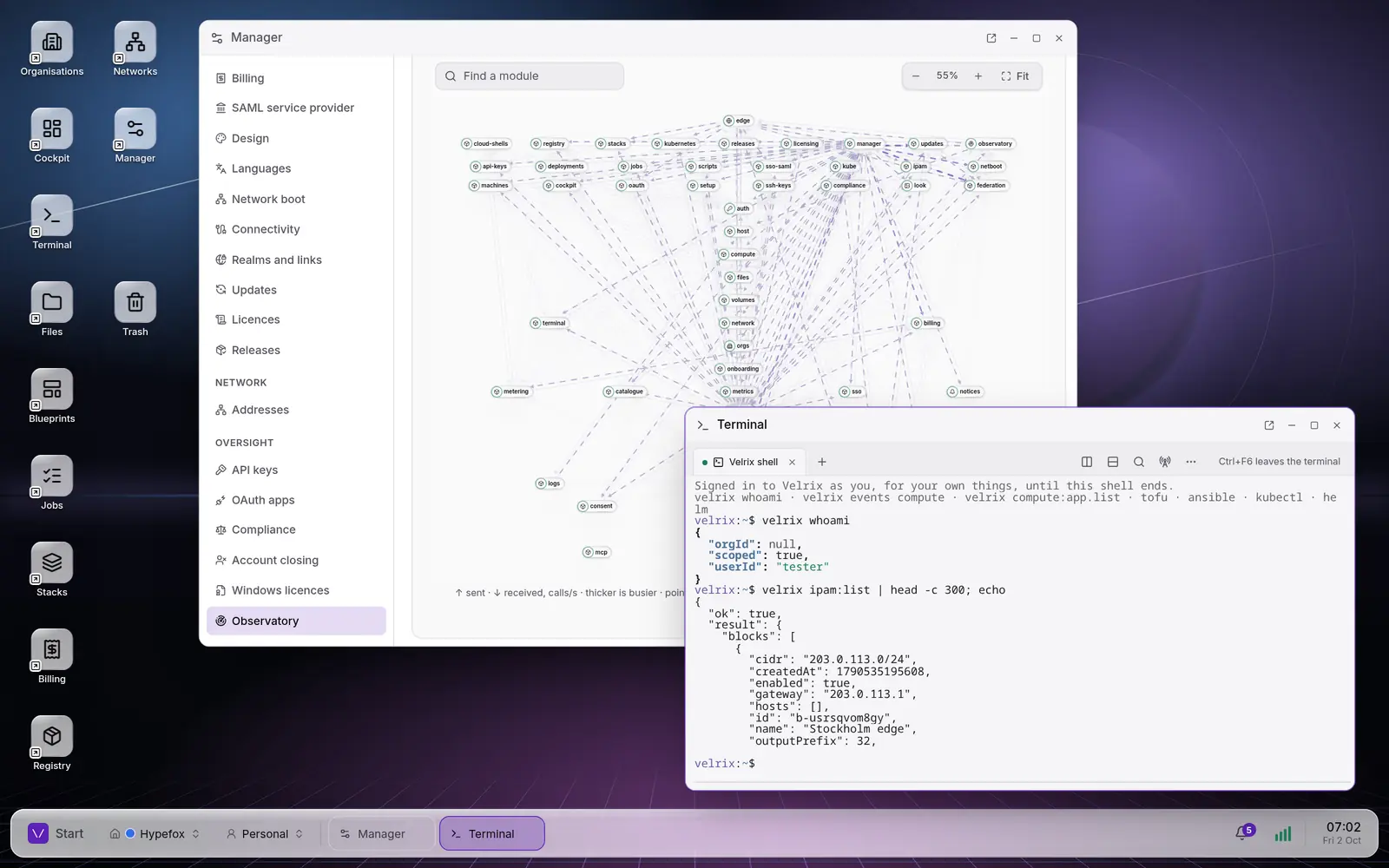
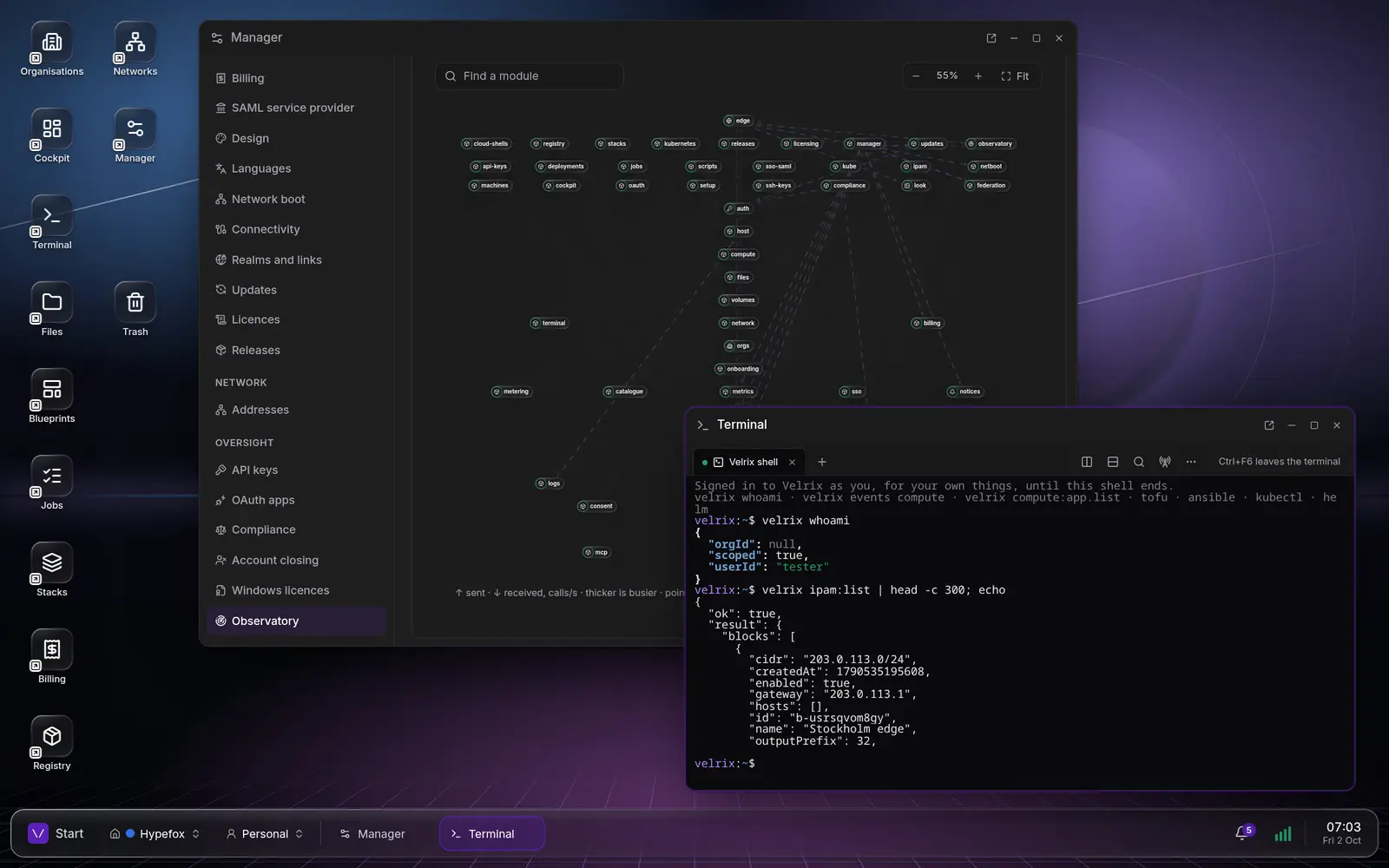
Leaving VMware in three steps
Bring your virtual machines over in planned waves, run them beside containers and clusters, and know the price before you start.
Import from vCenter
Each VM is mapped to a host pool, size and network, then moved in waves that can roll back to the source.
Run it all side by side
Windows Server and Linux VMs on Cloud Hypervisor, beside rootless containers and managed Kubernetes.
A predictable price
One licence for the whole installation, priced per core, with no per-core minimums and no forced bundles.
What you get
The parts a team moving off VMware asks about first, in one platform.
Windows Server in the browser
Run Windows Server VMs and open each one’s remote desktop in a window, with nothing to install.
Live migration
A running VM moves to another host, disk included, with a pause of about 100 ms in our tests.
Backups
Scheduled, encrypted backups of state, volumes and VM disks, frozen for a consistent copy.
Cloud shells
A shell in the browser, in a container or microVM, with the velrix command signed in as you.
OpenTofu and Ansible
Plan, approve and apply runs in Velrix, with the state kept there and an optional second approver.
Updates in your windows
Signed updates, by hand or in your windows; a module update failing its health check rolls back.
Logs with live tail
What apps, VM consoles and jobs said, kept across deploys, searchable and followed live.
Your brand
Your name, colours, wallpaper and words on the sign-in page, the desk and every window.
Built to stand while falling apart
A module crashes: the rest keep running while it restarts, and operators are told. Files stops: the desk keeps its app shortcuts, and your files come back with it.
Module status
- desk
Desk icons and the start menu’s apps
- cockpit
The Cockpit window
- files
The files on the desk
- notices
The tray
Built for regulated environments
See security and sovereigntyData where you choose
On your own servers, or in Velrix Public Cloud in Sweden.
Post‑quantum
Hybrid ML‑KEM key exchange and ML‑DSA signatures.
WCAG 2.2 AA
The web client is built to it and scanned in light and dark.
GDPR and NIS2 support
Processing records, disclosure requests and retention rules.
Open standards
OCI images, Terraform and OpenTofu, Ansible and kubectl.
How Velrix compares
What Velrix includes, and where each of the others stands on it, from their own documentation.
| Feature | Velrix | VMware vSphere and VCF | Proxmox VE | OpenStack |
|---|---|---|---|---|
| A VM’s screen in the browser | Included | Included | Included | Included |
| Invoices to your customers | Included, with Swedish VAT and OCR | Chargeback bills, in VCF | Not included | Rating only (CloudKitty) |
| Container image registry (OCI) | Included | Included (Harbor) | Not included | Not included |
| Management interface in Swedish | Included | Not included | Included | Not included |
| Developed in | Sweden | United States | Austria | United States (Linux Foundation) |
Checked against each vendor’s and project’s own documentation on 2 October 2026.
Sources
- VMware, browser console: https://techdocs.broadcom.com/us/en/vmware-cis/vsphere/vsphere/9-0/vsphere-virtual-machine-administration/managing-virtual-machines/using-a-virtual-machine-remote-console/open-the-html-5-remote-console.html
- VMware, chargeback bills: https://techdocs.broadcom.com/us/en/vmware-cis/vcf/vcf-9-0-and-later/9-0/cost-and-capacity-management/performing-vcd-based-multitenancy-operations/generating-bills.html
- VMware, editions (chargeback in VCF; Harbor registry): https://www.vmware.com/docs/vmware-cloud-foundation-9-0-feature-comparison-and-upgrade-paths
- VMware, interface languages: https://techdocs.broadcom.com/us/en/vmware-cis/vcf/vcf-9-0-and-later/9-1/release-notes/vmware-cloud-foundation-9-1-0-0-release-notes.html
- Broadcom, headquarters (10-K): https://investors.broadcom.com/static-files/564b6a94-571d-4a43-9c3b-57cbd9477092
- Proxmox VE, administration guide: https://pve.proxmox.com/pve-docs/pve-admin-guide.html
- Proxmox VE, browser console: https://pve.proxmox.com/wiki/VNC_Client_Access
- Proxmox VE, interface languages: https://git.proxmox.com/?p=proxmox-widget-toolkit.git;a=blob_plain;f=src/Utils.js;hb=HEAD
- Proxmox, legal notice: https://www.proxmox.com/en/legal-notice
- OpenStack, browser console: https://docs.openstack.org/nova/latest/admin/remote-console-access.html
- OpenStack, CloudKitty: https://docs.openstack.org/cloudkitty/latest/
- OpenStack, official projects: https://opendev.org/openstack/governance/raw/branch/master/reference/projects.yaml
- OpenStack, Horizon languages: https://opendev.org/openstack/horizon/raw/branch/master/openstack_dashboard/settings.py
- OpenInfra Foundation: https://openinfra.org/about/
- Linux Foundation, address: https://www.linuxfoundation.org/about/contact
Pricing you can plan around
One licence for the whole installation, priced by its size: per physical core and year on a fixed term, or per vCPU-hour actually run on pay as you go. No per-core minimums, no forced bundles.
For example: a manufacturing company
3 × 24 cores = 72 cores of Windows Server and ERP VMs, Standard edition, Fixed
108,000 kr per year
Standard edition
For a company running its own platform.
from1,500 krper physical core and year
Provider edition
For hosting providers and MSPs.
from1,800 krper physical core and year
Public Sector edition
For councils, regions and authorities.
from2,200 krper physical core and year
Your workloads keep running. A licence problem never stops or deletes running apps, virtual machines or data. At most, after warnings and a grace period, the platform turns read-only: viewing, exports and paying still work, and a valid receipt unlocks it at once.
All prices in Swedish kronor (SEK), excluding VAT. List prices: volume, multi-year and public-sector agreements on request.
Questions we are asked
Are Windows Server licences included?
No. Microsoft’s licences are not part of the Velrix licence or its prices. Bring your own licence and activate it with your own KMS host, or, where the operator offers it, as in Velrix Public Cloud, take Microsoft licences billed monthly per core under SPLA.
What hardware do we need?
x86‑64 servers with hardware virtualisation (Intel VT-x or AMD-V), at least 16 GB of memory, 32 GB to be comfortable, UEFI firmware, and a TPM 2.0 for Secure Boot and diskless boot. Plan three or more servers: platform state is confirmed by a majority of them.
See the ways to run itDo bonded ports and VLANs work?
Yes. The installer groups ports into a bond (LACP, active-backup or adaptive load balancing), adds VLANs on a port or a bond, and gives each connection IPv4, IPv6 or both. You choose the connection that carries management and the traffic between servers.
Read the install guideCan it run fully offline?
Yes, on-premises. Licences and updates arrive as signed files on a USB stick, with no outside service reachable. A Fixed licence sends no usage reports at all; pay as you go reports by a signed monthly file instead.
How do we move from VMware?
Import from vCenter. A planning report maps every VM to a host pool, size and network with its monthly cost, and VMs move in waves. A wave can roll back to its source VMs, which Velrix never deletes.
See the VMware mappingWhat support is included?
Business-hours support is included in every edition. 24/7 support with an SLA is an add-on, priced per installation.
See Velrixon your own terms
We walk through the platform and the architecture, and how Velrix would run in your organisation.